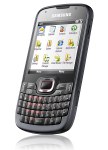
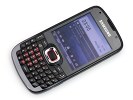
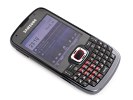
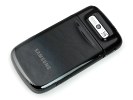
Samsung have just released their B7320 OmniaPRO and now, just a few short weeks later, they are introducing the B7330 OmniaPRO. Some might think there is something wrong. To get straight to the point, there’s nothing wrong with the B7320 OmniaPRO. But who are we to frown at an upgrade. Now, that’s where it gets a bit tricky. First of all, it’s not a major upgrade involving a lot of investment and effort. Plus, the two handsets will perhaps coexist peacefully serving different markets. Still, a few nice little touches make the new B7330 OmniaPRO a real treat. The newcomer is slimmer, has brilliant ergonomics and is quite keen to double its predecessor’s data speeds and boost screen size and resolution. And the big news of course is Windows Mobile 6.5. We guess the release of the B7330 OmniaPRO is meant to herald the OS upgrade rather than send the B7320 into oblivion. Actually, the latter – along with the other current Omnia handsets running the earlier 6.1 version of the OS – will at some point be upgradeable to WinMo 6.5 anyway. Having cleared that up, we can now get on with our first look at the cute Samsung B7330 OmniaPRO. Cute may sound a bit odd for a business device, but the handset does look and feel great, and is so wonderfully compact that we couldn’t think of any other word to describe it. So, it’s a brand new WinMo powered QWERTY messenger that’s keen to serve and please the eye. Sounds worth a closer look, doesn’t it? As you can see, there are some differences compared to the B7320 but they aren't that significant. However, what has been changed has been changed for the better, so now the screen sports some more pixels and real estate, there’s Windows Mobile 6.5 right out of the box, boosted up HSDPA and HSUPA, and a beefier battery. Last but not least, the B7330 OmniaPRO has lost some weight and got thinner (the device measures 114.9 x 59 x 10.8 mm and weighs only 107 g) and is now much closer to the famous Anyways, enough talking, let's get down to it. Jump on as we explore what the B7330 OmniaPRO is made of, followed by a brief rundown of the interface.Introduction
![]()
Samsung B7330 OmniaPRO official photo Samsung B7330 OmniaPRO at a glance:
![]()
The Samsung B7330 OmniaPRO at ours
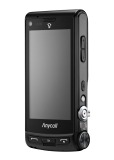
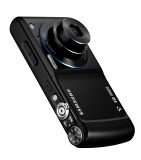
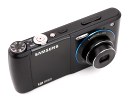
The Samsung W880 ups the ante with a world's first 12 megapixel camera with 3x optical zoom. Featuring a hardware Mode dial and a real zoom lever it does feel like a real camera and you may find yourself struggling to find the mobile phone under the digicam skin. Now while W880 is South Korea bound only, it's enough to give us a taste of what's coming in the shape of the rumored Samsung M8920, which should make it our way sometime next year - but with Wi-Fi and GPS on board. Designing a mobile phone (or any other portable gadget for that matter) is a balancing act - the engineers must juggle between cost, size and features, all the while being limited by the current state of technology. Say cost doesn't matter - that still leaves only so much that can reasonably be crammed into a mobile device. Progress is made, technology advances, which results in things getting cheaper, smaller and with more features. And quite soon, things that seemed impractical a few years back can now be released as a consumer device. This is how the Samsung W880 AMOLED 12M came to be - it contains all the mechanical elements of a point-and-shoot camera, but still has enough room left for the phone parts. It's not the first phone to achieve that but it's the first 12-megapixel one and the added 3x optical zoom and xenon flash pretty much put it on par with a typical point-and-shoot camera. The Samsung W880 has some high-end imaging functions too - tracking touch autofocus, 720p@30 fps video recording, 3.3" big AMOLED capacitive touchscreen with WVGA resolution. That's not something you see every day on a cameras and it's top notch in mobile phone terms. Even the degree of control over how a photo is taken beats out consumer cameras, let alone cameraphones. Now, keep in mind that the we're previewing a prototype here and it's a prototype of a phone meant for the South Korean market only and although it has tri-band GSM and support for UMTS, those are meant for roaming only - the AMOLED 12M is for South Korea and South Korea only. So, why bother with a preview then? Well, there's a global version coming in the beginning of next year and that might actually land in a store near you. It will look just the same but will drop the T-DMB TV receiver, which has little use outside of South Korea anyway, swapping it for the more practical Wi-Fi and GPS. Supposedly, the global GSM version will be allegedly called Samsung M8920, but that has yet to be confirmed by an official source. In this preview we focus mainly on the camera - admit it, it's the most interesting aspect of the Samsung W880 and it's the camera that has us holding our breaths. For now, we'll just concentrate on the essentials - we take a look at the hardware, next we have a video walkthrough of the interface and finally, we focus on the camera, with plenty of still photos and video samples.Introduction
Samsung SCH-W880 AMOLED 12M official photos
![]()
Samsung W880 AMOLED 12M live shots
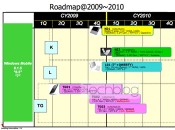
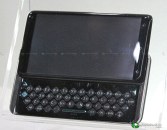
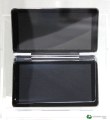
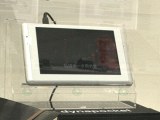
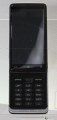
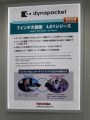
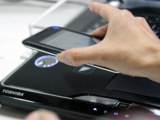
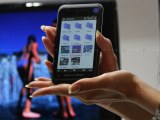
A leaked Toshiba roadmap several months back mentioned several new smart devices planned. Up until now we had no idea how they would look, but Toshiba went ahead and displayed their prototypes at the CEATEC show currently held in Japan. Though the rumored TG02 and TG02 were not on display, the Toshiba K01 was showcased. Running on WinMo 6.5, it has the same form factor as Nokia N900 for example, with a slide-out full QWERTY keyboard. It's only 15mm thick (18mm for N900) and has a 4.1-inch WVGA capacitive display and a 3 megapixel camera. The Toshiba K01 should be announced before the end of the year. The Toshiba K02 was also on display at the CEATEC 2009. With a detachable QWERTY keyboard, K02 is a clamshell with a main 3.5-inch resistive touchscreen display and an external secondary screen. The K02 runs on Windows Mobile 6.5 much like the K01. The Toshiba K02 should be announced in January 2010. The last of the bunch is Toshiba L01 - a 7-inch touchscreen tablet. The display has a WVGA resolution and the operating system is again WinMo 6.5. The L01 has a detachable QWERTY keyboard (optional, but visible on the photo). The Toshiba L01 should be announced in Q4 2009. Toshiba also went ahead and demonstrated another device that's still unnamed. It's a slider with a regular keypad but with a large touchscreen display. Just remember that all this tech information was taken from the roadmap that leaked before - Toshiba didn't release any new info today but we hope to hear more from them before the end of the year. Today Toshiba also revealed their new wireless transfer technology dubbed TransferJet. The TransferJet technology lets you easily transfer data among different types of devices (phones, PCs, notebooks, etc.) by simply touching the two gadgets. The maximum transfer speed is surprisingly high - up to 200Mbps. Toshiba even went as far as demoing the tech live using a notebook and a modified TG01.
![]()
The previously leaked Toshiba roadmap • Toshiba K01
![]()
Toshiba representative demonstrates the TransferJet technology
ppl i found something really ineresting to increase ur N73's fon memory by nearly 5MB...all u hav to do is to hack ur fon..go to c:/private/102072c4 folder and delete the reserved file...its size is 4.76MB...so der u go...u free around 5MB of fon memory space...it does eventually come back at times..so at those times u can delete it again...
This guy gets really mad when playing Super Mario Brothers :D
if any one wants these levels then contact me
In order to install "Unsigned" releases from BiNPDA only and hack your phone{i.e to view all private folder}, you need to go trough a one-time procedure.
You will need to run "SecMan.exe", This program allows you to install all unsigned files without signing them every time...
Please Read the Brief & simplified procedure for using them accordingly..
Just follow 4 simple steps..
All the Tools needed are Attached below[Will be Released with every Unsigned app.], Thanks to BiNPDA !!
Lets start..
Step 1 :
Install the TRK application for your Respective phones using the list below..
s60_3_0_app_trk_2_8_6.sisx for SymbianOS9 devices WITHOUT FP1
s60_3_1_app_trk_2_8_6.sisx for SymbianOS9 devices WITH FP1
-------------------
Nokia N77
Nokia E61i
Nokia E65
Nokia N93i
Nokia N91 8GB
Nokia E62
Nokia E50
Nokia 5500
Nokia N93
Nokia N73
Nokia N80
Nokia N71
Nokia N92
Nokia E70
Nokia E60
Nokia E61
Nokia 3250
FP1 devices:
---------------
Nokia 6124 classic
Nokia N82
Nokia N95-3 NAM
Nokia E51
Nokia N95 8GB
Nokia N81
Nokia N81 8GB
Nokia 6121 classic
Nokia 6120 classic
Nokia 5700 XpressMusic
Nokia 6110 Navigator
Nokia E90 Communicator
Nokia N76
Nokia 6290
Nokia N95
Now Connect your Phone Via USB in PC suite MODE
> Open TRK application from your phone, Select USB mode from settings
{Don't use Bluetooth Connect}
now you get the following screen..

Keep Metro TRK running on phone.
Step 2 :
Now Double Click on Secman.exe {attached below} and Follow Instructions..
You will get the following Screen :
| Click this bar to view the full image. |

Now Security manager will look for your com ports to which your phone has been connected..
If you Know your Port, select it and click NEXT..
If you Don't, then simply "Check" the Find Metro TRK ports automatically and click Next.
** TIP : To know Connected port
My Computer > Properties > Under Hardware Tab > Device Manager > Ports. { you will find your phone there }
| Click this bar to view the full image. |

Step 3 :
Security manager now install the "Secman" in your phone.
You will get following screen and then..
| Click this bar to view the full image. |

| Click this bar to view the full image. |

FINISH!!
_-_-_-_-
Step 4 :
Now the last and final part which is done using your phone..
> Open the Secman from your phone

"Turn Plat security OFF"
This option will Hack your phone in other words you will be able to enjoy the Symbian Freedom, like any other hacked phone you can Edit and move Private files n folders..
When your phone is hacked you see this screen :

You can " Turn plat security ON " when you are Done.
Now the Important part..

" Install Root certificate " With this you can install unsigned from BiNPDA, you will not be prompted for any certificate errors during installation of unsigned files like Normal Signed files.
" Restore Default " This will Remove all Root certificates and Remove Capabilities, making you phone like you used to use your phone before hacking.

NOTE :
Please keep in mind, if you format / upgrade your phones firmware, you'll need to do steps 1 & 2 again and after that manually install those apps from Application Manager.
Benefits :
Your Phone is now Hacked plus
Now you can install Any Unsigned file from BiNPDA and your Phone will not ask for Certificate errors and Blah blah..
No Certificates no symbiansigned...!!
Enjoy the topnotch work of eminent Team BiNPDA-